
FW Tools
Start
Pricing
Deutsch
Open the tool
A training day is twenty runs, four teams and a great many stopwatches. This tool takes the times, holds the sequence on one timeline with photos and voice notes, and in the evening sets every run side by side — without a name appearing anywhere.
FW Tools is built for fire service training. What this tool does — clock, phase marks, photos, voice notes, timeline, review, two devices on one log — is nowhere specific to the fire service; a tactical trainer stands beside the run with hands just as full as an instructor at a drill. That is why this section exists. The built-in exercise types are explicitly suggestions: they are derived from publicly available descriptions of sequences and have not been checked against any service regulation. Whoever uses them goes through them with their own unit first.
Wherever a sequence breaks down into phases and the phases have times: tactical training for patrol officers, training scenarios for specialist units, repeated runs of the same range or the same building. The tool measures when something happened — it nowhere says how it is to be done.
Phase marks as large buttons. In the rain, in the dark, without looking.
Five seconds spoken beat any note that never gets written. It sits on the same timeline, with its time.
The camera is in the page itself. The picture lands at the point on the timeline where it was taken.
The “Compare” tab sets every team against every other — the same scenario, twenty times, in one table.
Both record against the same start time and the logs are merged afterwards. If the clocks drift apart, a slider shifts the seconds.
Recording, reviewing and backing up run entirely on the device. Only the PDF needs a connection — and it can be made later.
No field asks for a name. “Team 1” and “Trainer 2” are enough for any review.
No sign-in, no user management, no access from outside. The recording stays in the device's browser.
Eleven templates in two groups. Each brings its phase marks and the figures calculated from them. Before the start, marks can be removed, added and saved as your own template; the template file goes to every trainer in the group, and then everyone measures the same thing.
| Group | Exercise type | Marks | The tight figure |
|---|---|---|---|
| Tactical Training | Person and vehicle check | 9 | Contact to check position |
| Arrest of a person | 9 | Contact to control | |
| Life-threatening incident, first responders | 9 | Arrival to threat stopped | |
| Officer safety at doors and entrances | 8 | In position to opening | |
| Tactical casualty care | 8 | Recognition to bleed controlled | |
| Operational shooting, range run | 8 | Last shot to unloaded | |
| Specialist units | Building entry | 11 | Entry to building clear |
| Vehicle intervention | 9 | Stop to occupants under control | |
| Room entry and search | 8 | Start to floor cleared | |
| Rope access, work at height | 9 | Safety check to descent | |
| Protracted operation, staging and relief | 8 | Time on post between reliefs |
The marks in the “Specialist units” group are coarser than those for tactical training: they end at phase boundaries that appear in any operations log anyway — staging, decision, entry, clear, handover. Anything finer does not belong in a file that sits on a web server, and it would only be wrong there anyway. Whoever wants to measure more finely sets up the marks as their own template; they then never leave the device.
Four views on the phone — that is where the tool is used, not at a desk. The screenshots show a real run of the exercise type “SU — Building entry”.
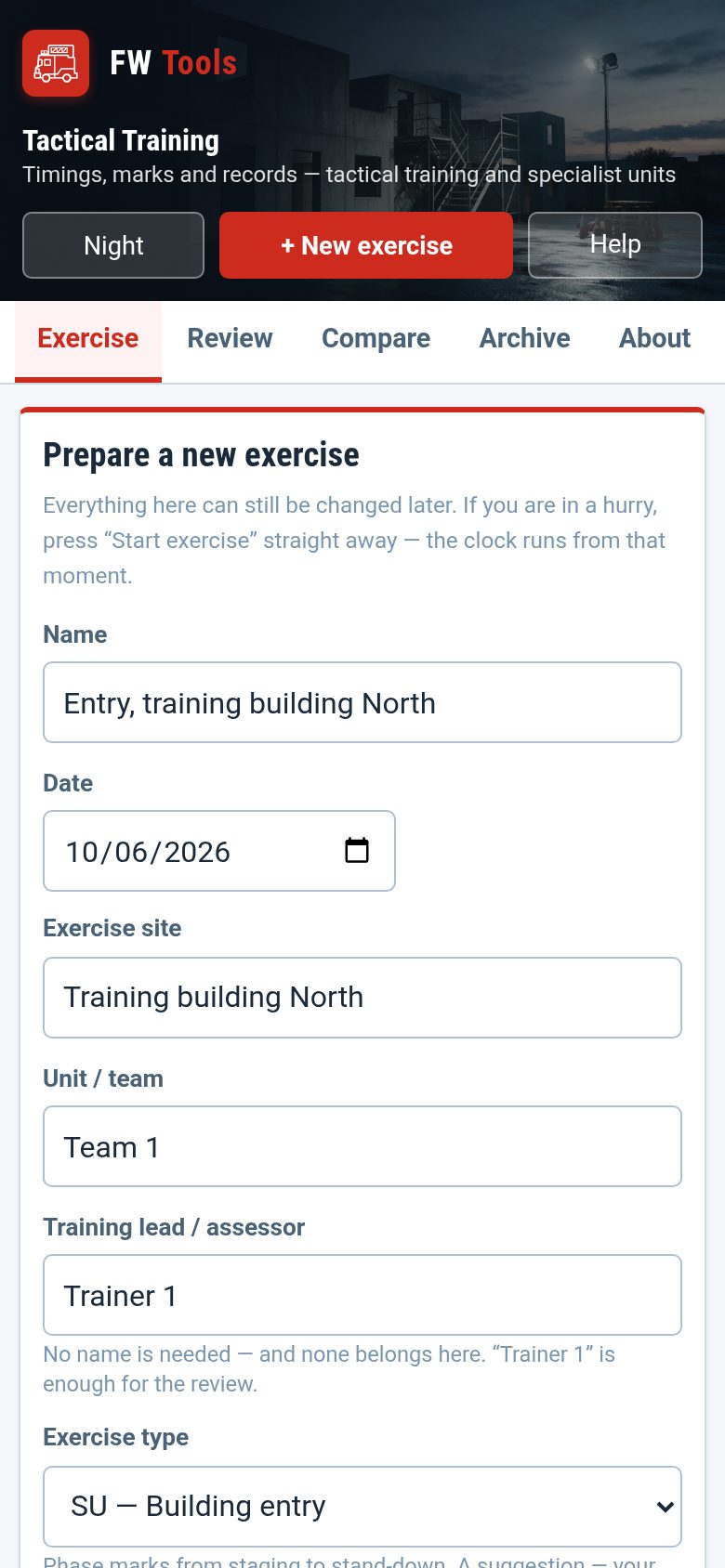
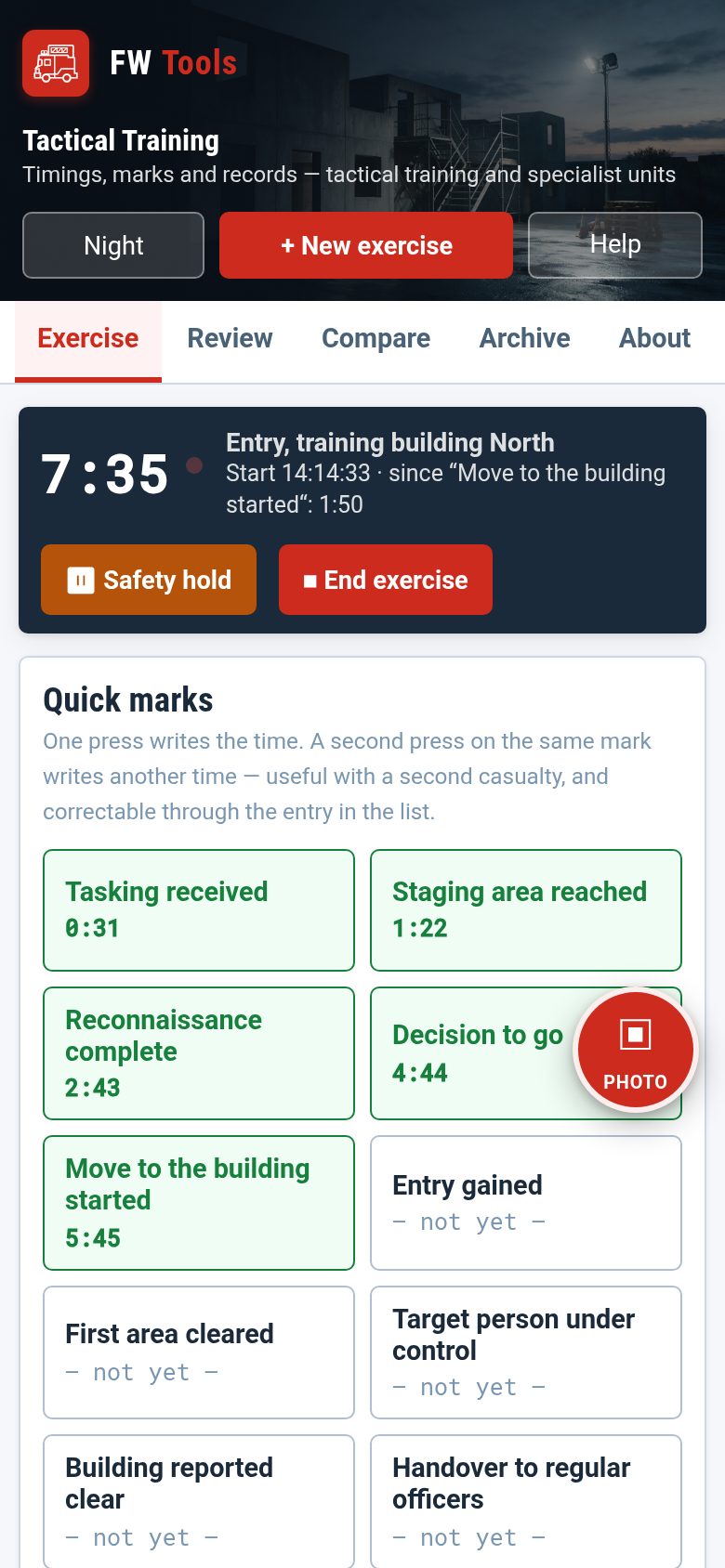
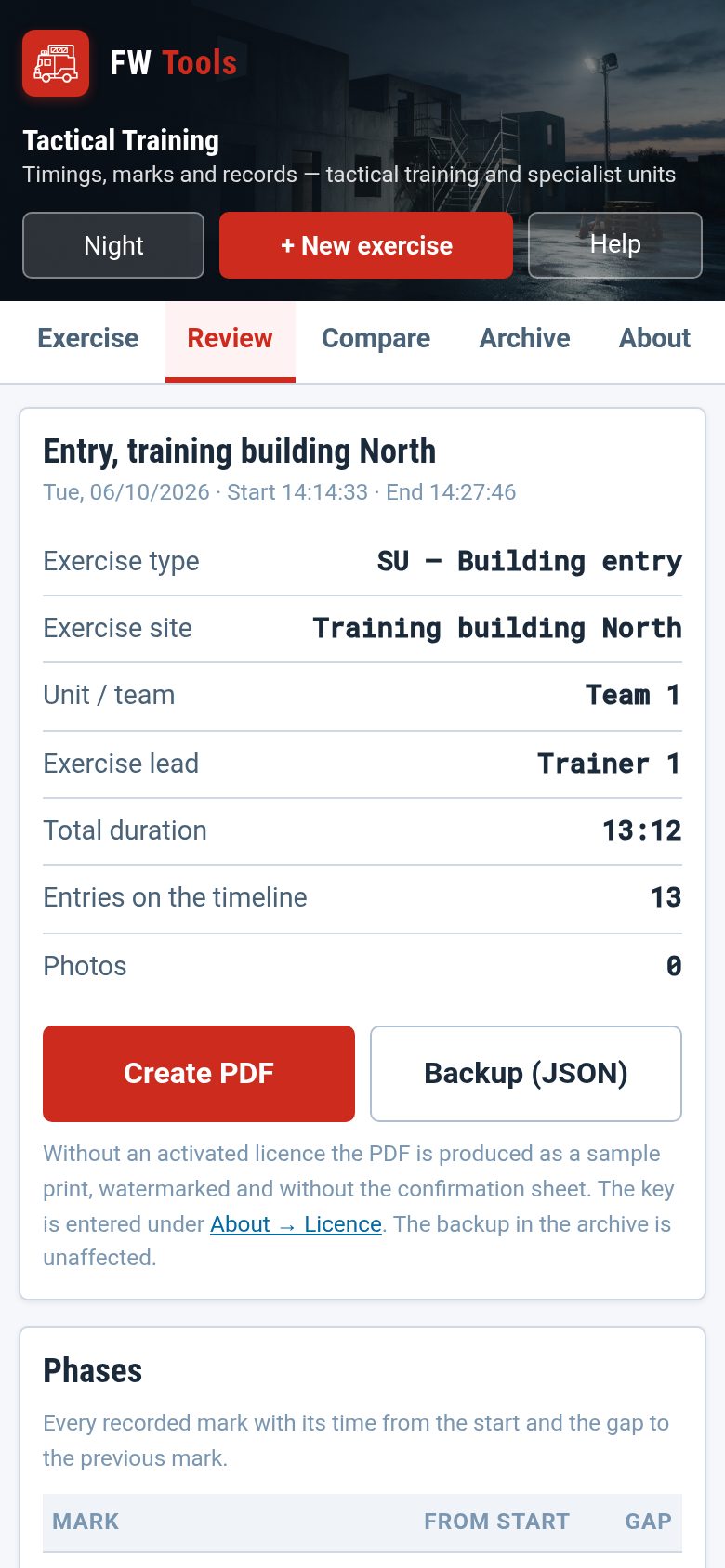
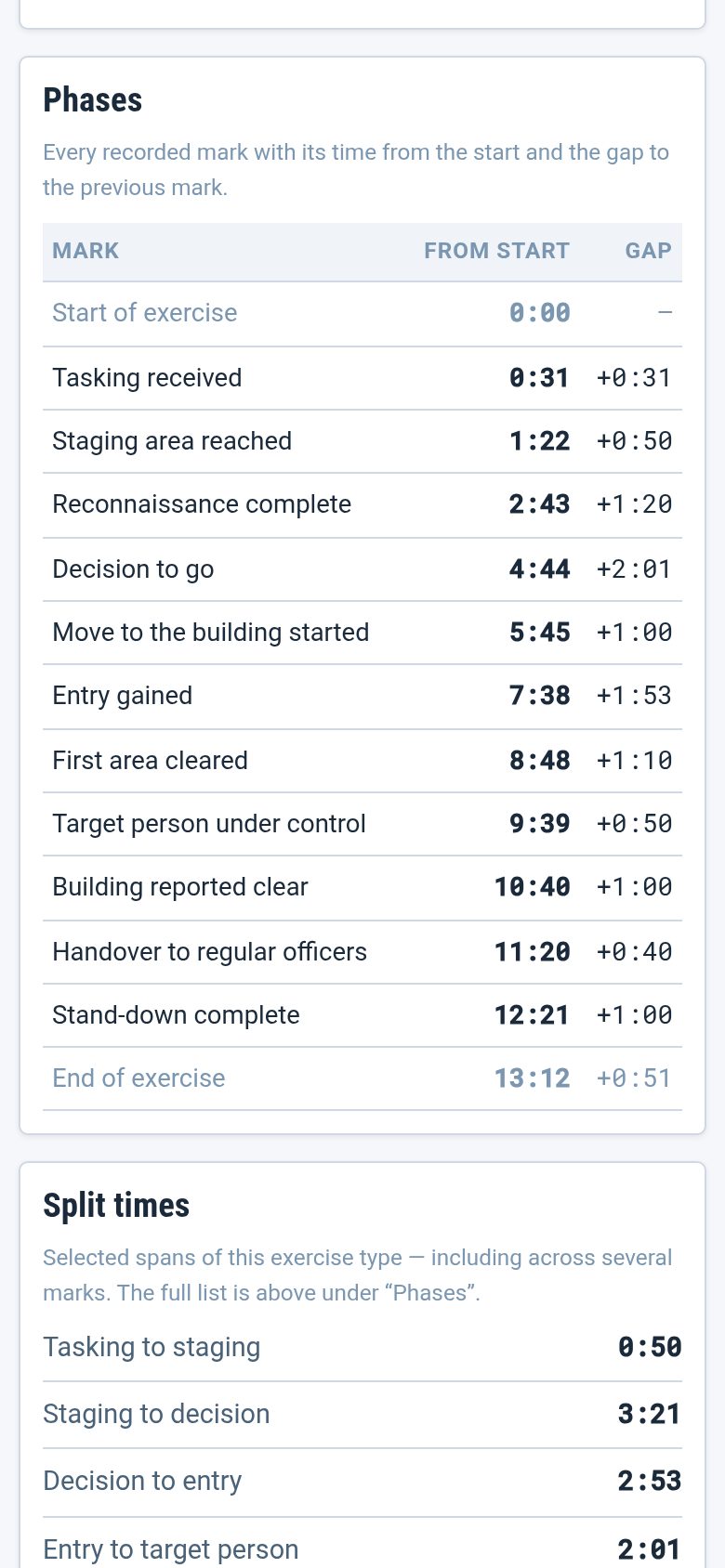
In the device's browser, nowhere else. No account, no sign-in, no upload, no access from outside. The way onto a second device is a backup file that you pass on yourself — on a phone through the share sheet, so also by AirDrop or Nearby Share with no network at all.
One exception, and it is your decision: pressing Create PDF sends the log of that one exercise, including its photos, to the server, which typesets the document from it and sends it back. Nothing is stored there. Whoever does not want that either does without the PDF; the recording itself never leaves the device.
For units whose devices have no open internet — and for specialist units that is the rule, not the exception — the intended way to run it is your own installation inside the agency network: FW Tools is a set of files with no database, no framework and no sign-in. A web server with PHP is enough. The licence key is then stored once on the server and applies to every browser on the installation; nobody has to paste in a key. After that, not even the PDF leaves the network.
No field in this tool asks for a name, and that is not carelessness but the design. For the review, a role or a number is enough: Team 1, Group 2, Trainer 1. A comparison across twenty runs works with these labels just as it would with names — and what is never collected needs neither protecting nor deleting.
For photos of people the tool explicitly makes no provision. The rules of your own unit apply there; when in doubt, do not take a photo — press the voice note instead.
Recording, reviewing, comparing and backing up work without a key — fully and permanently. The key unlocks what ends up in the file: the confirmation sheet in the PDF with signature lines for the training lead and the assessor. Without a key, the PDF is produced as a specimen print with a watermark.
The FW Tools price list counts in fire brigades and districts; agencies have their own scale, because their procurement routes are different. It is on the pricing page (German). For specialist units, the intended setup is your own installation in the agency network, not the shared server.
No sign-in, no account. Create a test run, press three marks, finish, produce the report — four minutes.